Building the chat interface
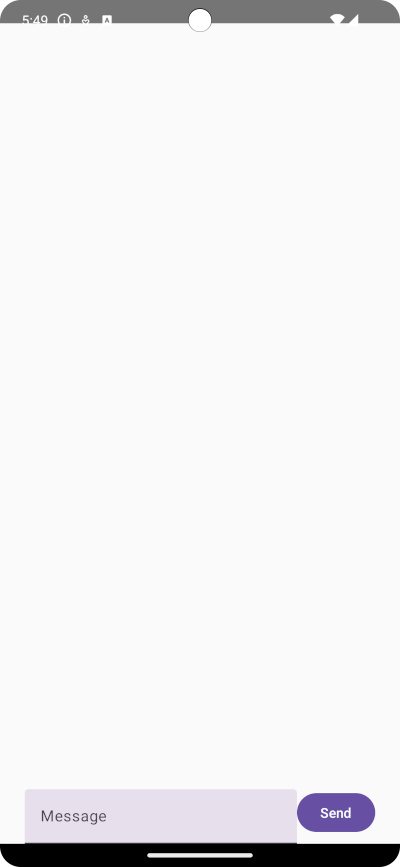
To be able to chat, you will need to create a new View for the chat interface. For simplicity we will add a new composable screen to display the chat UI, and a third composable to manage the switch between the two views.
In your MainActivity.kt add:
@OptIn(ExperimentalMaterial3Api::class)
@Composable
fun ChatScreen() {
    var text by remember { mutableStateOf("") }

    Column(
        modifier = Modifier.fillMaxSize(),
        horizontalAlignment = Alignment.CenterHorizontally,
        verticalArrangement = Arrangement.Bottom
    ) {
        LazyColumn(
            modifier = Modifier.fillMaxWidth()
        ) {

        }
        Row(){
            TextField(
                value = text,
                onValueChange = { text = it },
                label = { Text("Message") }
            )
            Button(onClick = { }) {
                Text("Send")
            }
        }
    }
}
This is your basic chat application UI, with LazyColumn that will display the messages, a TextField to enter a message and a send Button to send the message.
Next lets create the Composable that will manage switching between the two UI views. Add the below Composable to your MainActivity.kt:
@Composable
fun ApplicationSwitcher() {
    val vm = LocalChatState.current
    val error = vm.error
    if (vm.isLoggedIn) {
        ChatScreen()
    } else {
        LoginScreen()
    }
    if(vm.isError){
        Toast.makeText(LocalContext.current, error, Toast.LENGTH_LONG).show()
        vm.isError = false
    }
}
This will check the current state of the isLoggedIn flag, and display the correct UI, it will also display a Toast when an error is captured.
Finally update your MainActivity class to call the ApplicationSwitcher instead of the LoginScreen:
class MainActivity : ComponentActivity() {
    private val chatState by viewModels<ChatViewModel>()
    override fun onCreate(savedInstanceState: Bundle?) {
        super.onCreate(savedInstanceState)

        setContent {
            CompositionLocalProvider(LocalChatState provides chatState) {
                ApplicationSwitcher()
            }
        }
    }
}
Build and Run
Run the project again to launch it in the simulator. If you log in with one of the users you will see the chat interface
Creating an Android chat app
Create a Android application that enables users to message each other using the Android Client SDK and Kotlin.