Create an Android project
New Android Project
Create new a phone-to-app folder inside the vonage-tutorial folder:
Open Android Studio and, from the menu, select File > New > New Project.... Select a Empty Activity template type and click Next.
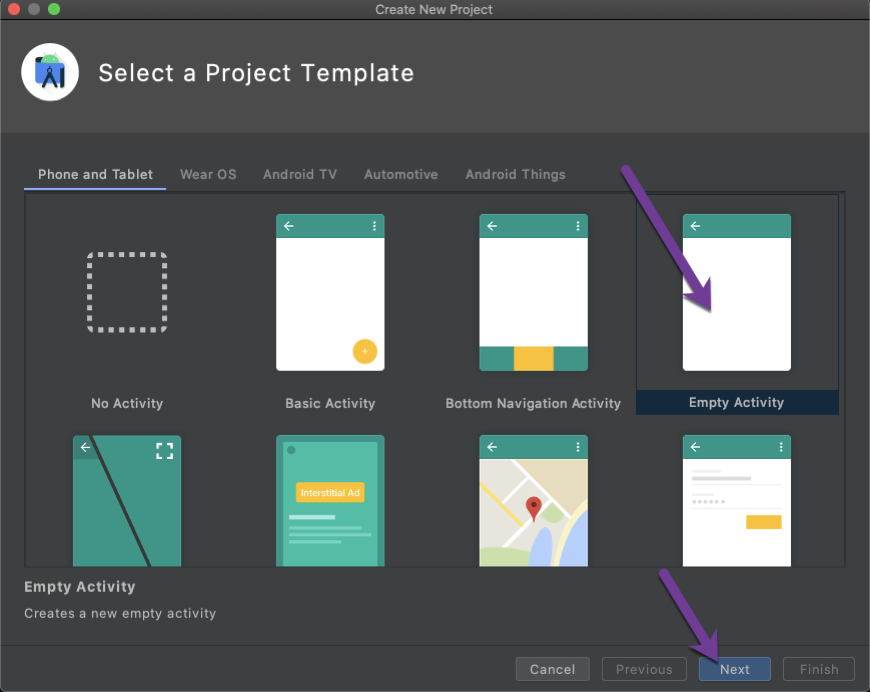
Enter phone-to-app as project name, point location to previously created vonage-tutorial/phone-to-app folder, select as Kotlin language and press Finish button.
You now have a brand new Android Project.
Add Client SDK dependency
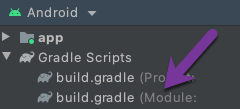
To add the Client SDK to the project, add the following dependency in the module-level build.gradle file.:
Enable jetifier in the gradle.properties file by adding the below line:
Finally, you will need to increase the memory allocation for the JVM by editing the org.gradle.jvmargs property in your gradle.properties file. We recommend this be set to at least 4GB:
Receiving a phone call in-app
You receive a call from a phone to your app